What are QM Lists?
QM Lists (Quality Management Lists) are a dedicated view on records that are based on the same form. This means, you can create lists based on a form, e.g. the Complaint Form and see a list of all underlying Complaint records. The list will include all information that has been entered in the form, as well as any references that were included in the Complaint Form.
In more detail:
- Each row represents a document
- Each column represents an input field from the Form
- The content shows the actual data entered in each document
The cool thing about QM Lists is, that you don't have to take care of them. They will automatically always display all available data!
You have a process flow that distributes data into multiple forms e.g. a Feedback and complaint form? You can of course also display this in a QM List. Have a look at one of our special topics: How to deal with advanced QM Lists
Creating a New QM List
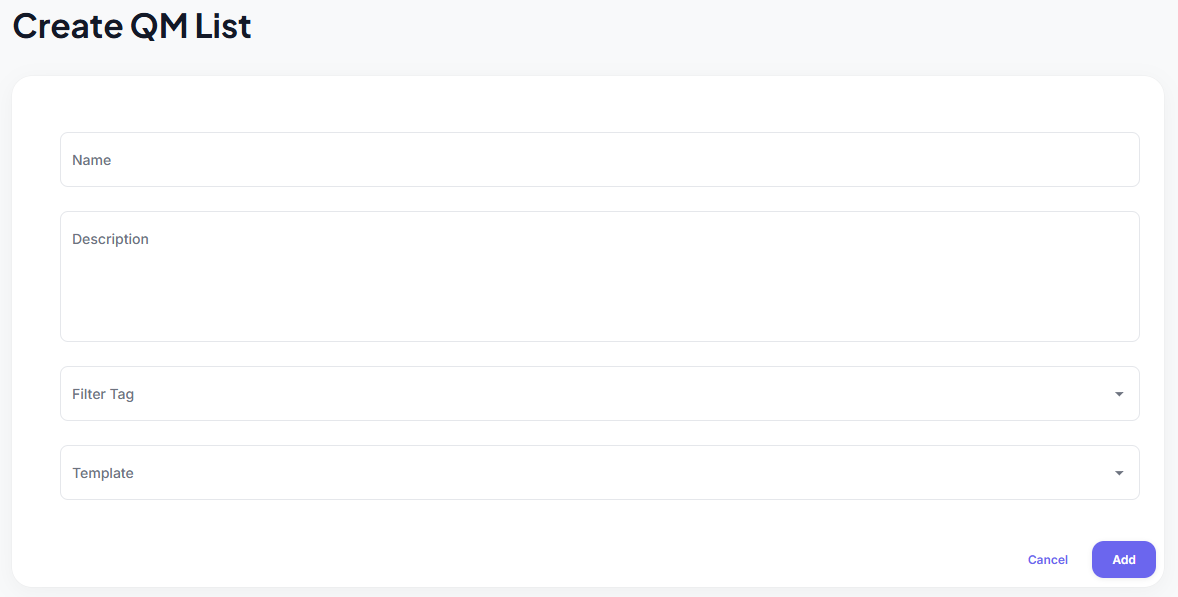
- Navigate to the QM Lists section
- Click the "Create QM List" button
- Fill in the information:
- Title (required): Give your list a descriptive name
- Description (optional): Add helpful context about the list's purpose
- Filter Tag (optional): Select a Filter Tag to create QMLists based on multiple connected Templates This is part ofadvanced QM Lists, have a look at how to deal with advanced QM Lists
- Templates (required): Select the templates your list will be based on
Table Overview: All QM Lists
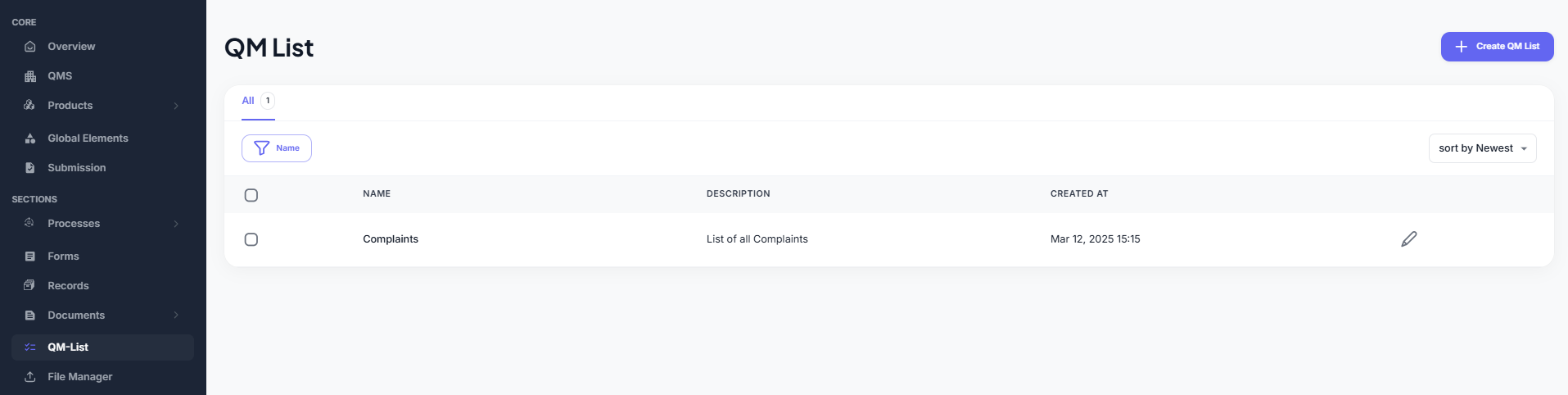
The QM Lists Table provides a central overview of all existing QM Lists in the system.
Each list is displayed as a row in the table and can be easily managed using the available features:
- Filter by name to quickly find specific lists
- Sort by creation date (newest or oldest first)
- Delete lists you no longer need
Clicking on a specific entry in the table will take you directly to the detailed view of that QM List, where you can manage its content and structure.